
AI and Data
Smart Finance
Expense tracking with forecasts that show their own error
ShowcaseBuilt by GFT Solutions with invented data. The organisations, people and amounts shown are made up.
Read the case study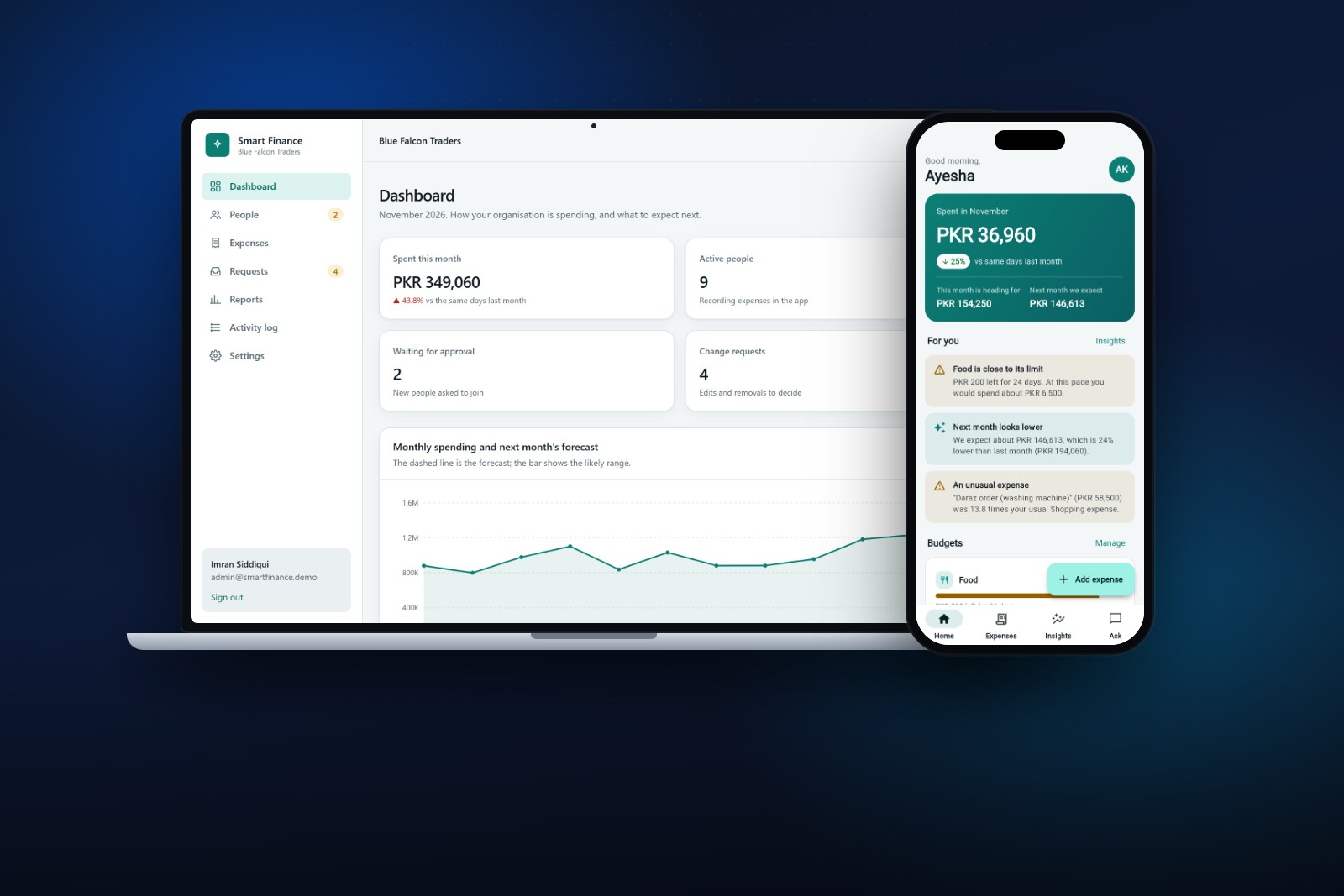
About this project
Smart Finance lets members record expenses in a Flutter app while administrators run the organisation from a web panel. The server forecasts next month's spending per category, tests the method on past months and shows the error next to the number. It suggests categories while you type, flags unusual expenses and answers questions in English and Roman Urdu with a rule-based helper that says what it is.
- Category
- AI and Data
- Year
- 2026
- Technology
- FlutterPythonFastAPIscikit-learnSQLiteTailwind CSS
What it does
- A Flutter app for members, a web panel for administrators, and a platform owner who creates organisations, all on one API.
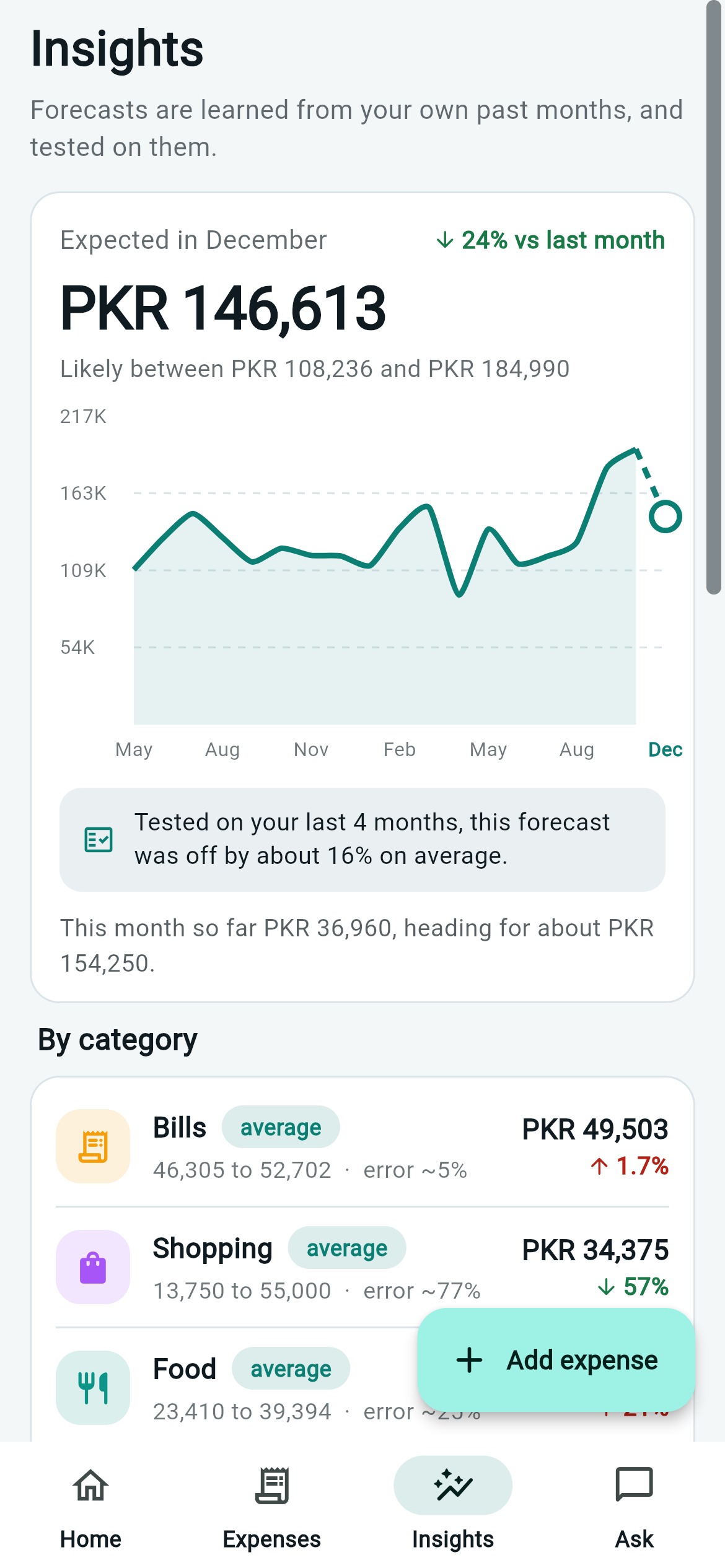
- Next month's spending is forecast per category, tested on past months, and the error is shown next to the number.
- The category is suggested from the expense title while you type, with accuracy measured on titles the model had never seen.
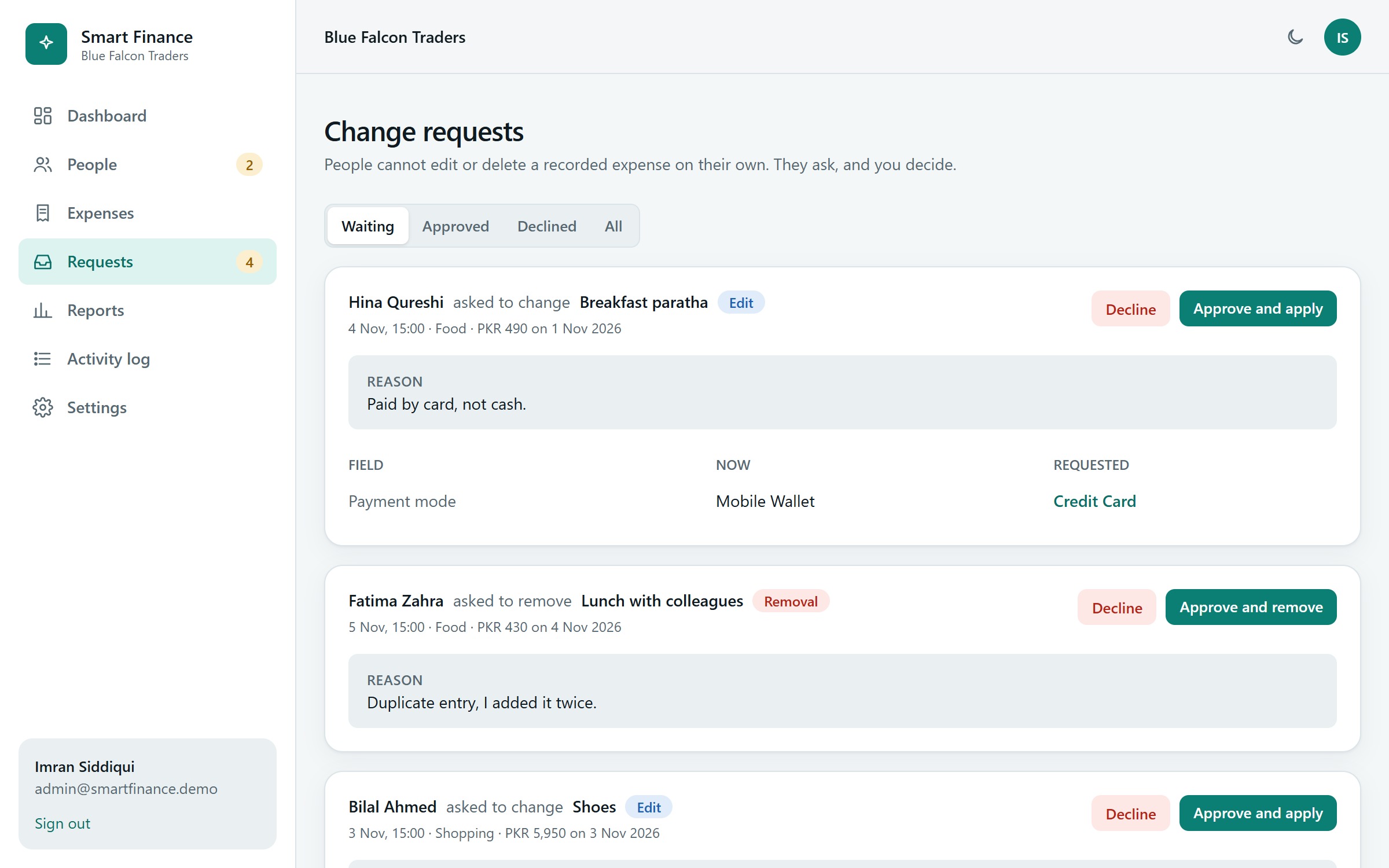
- A recorded expense can only be changed or removed after the administrator approves a request, with old and new values side by side.
- Unusual expenses are flagged against a person's own habits, each with a reason in plain words.
See it in action
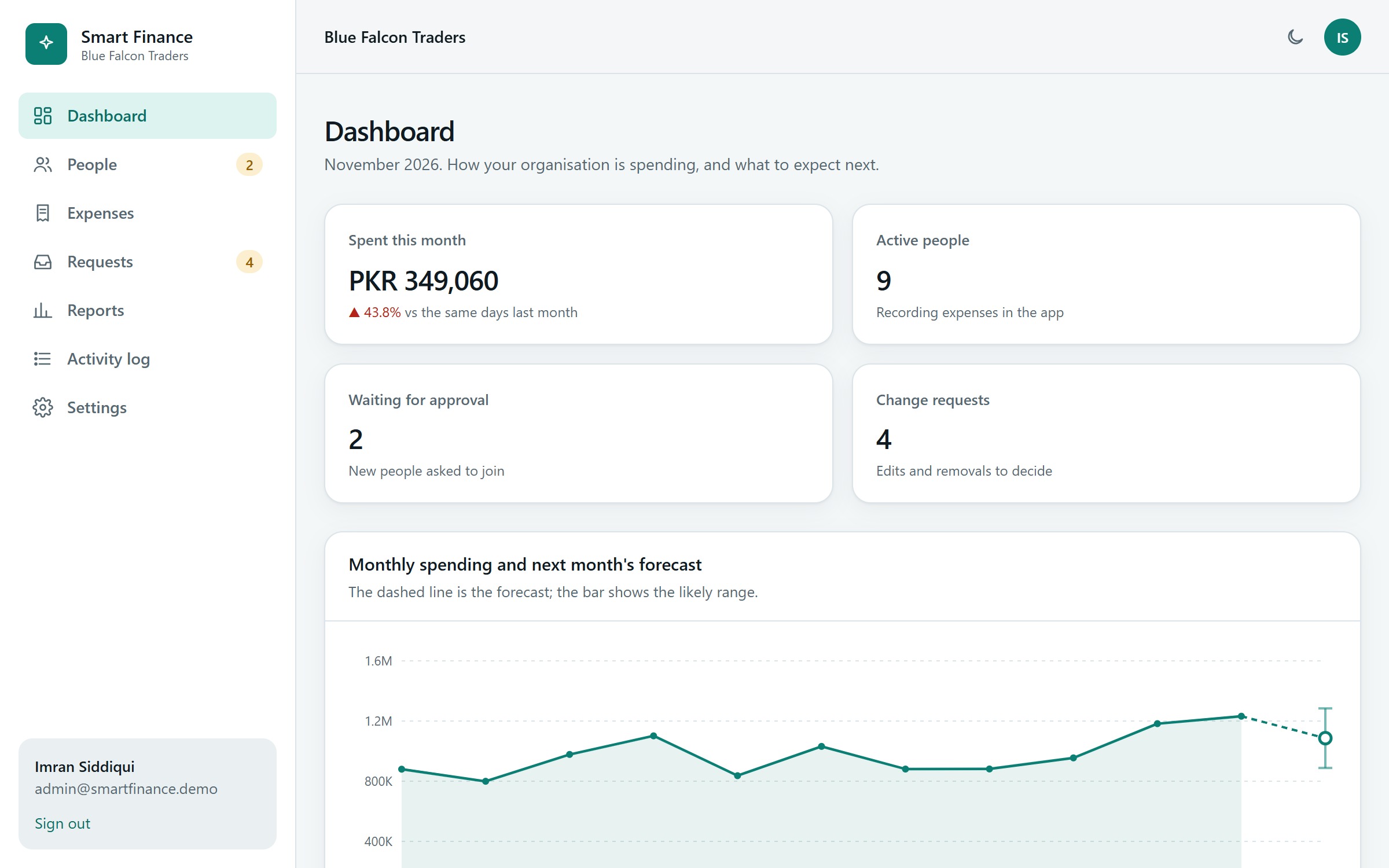
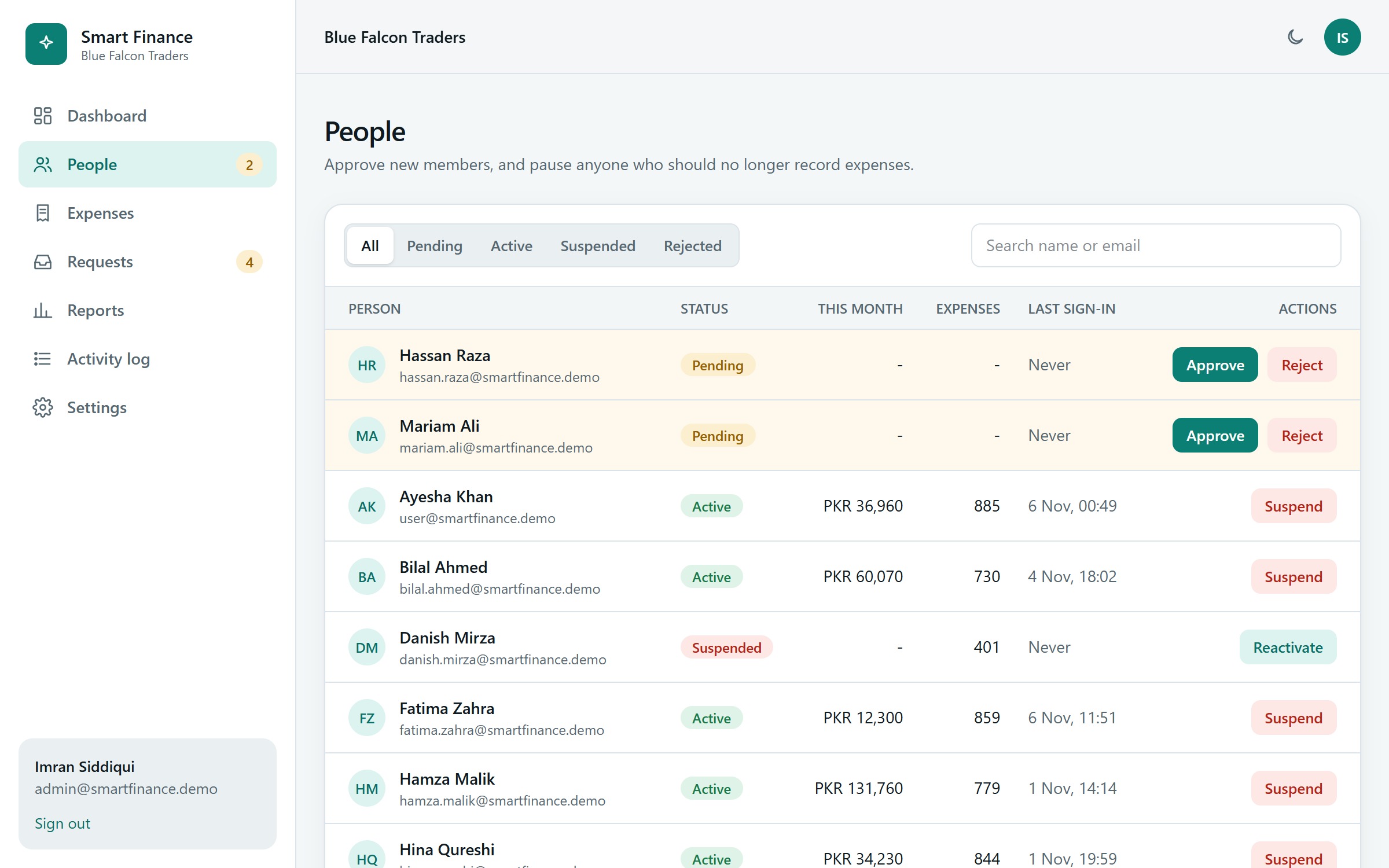
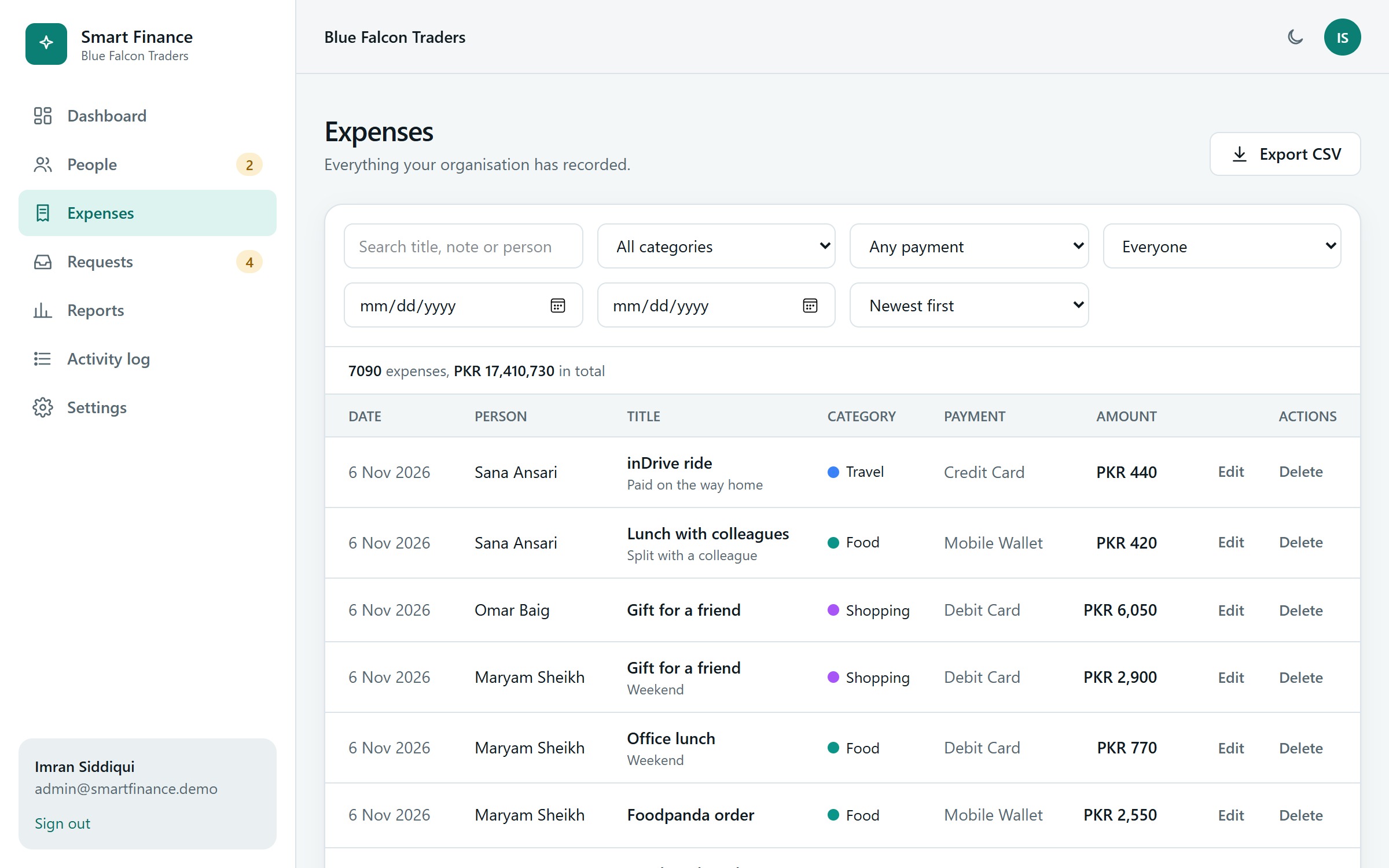
Admin panel screens
For administrators and the platform owner.
Member app screens
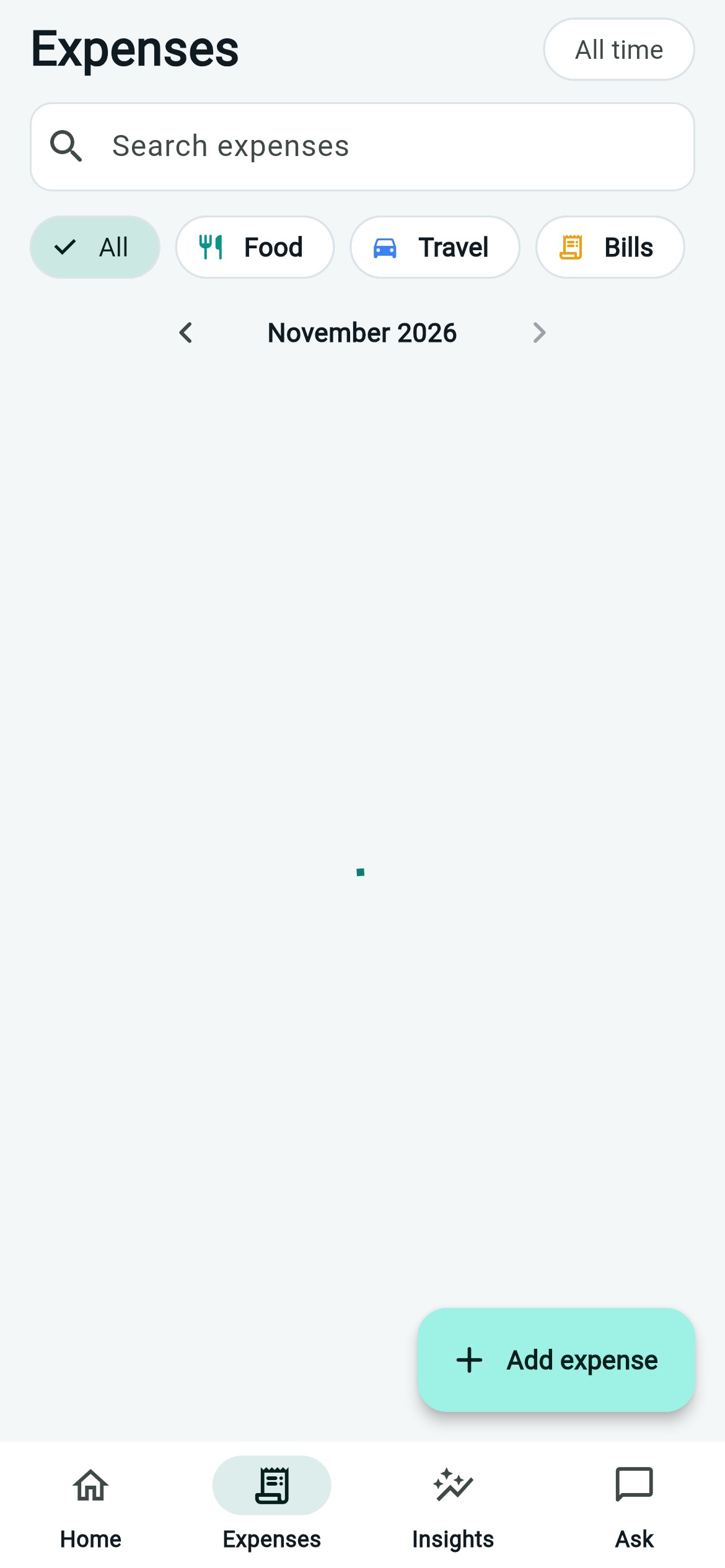
The Flutter app for Android and the web.
What it does not do
We say this on the page because a showcase should be honest about its limits.
- The organisations, people and amounts are invented. The accuracy figures describe that sample data, not real-world performance.
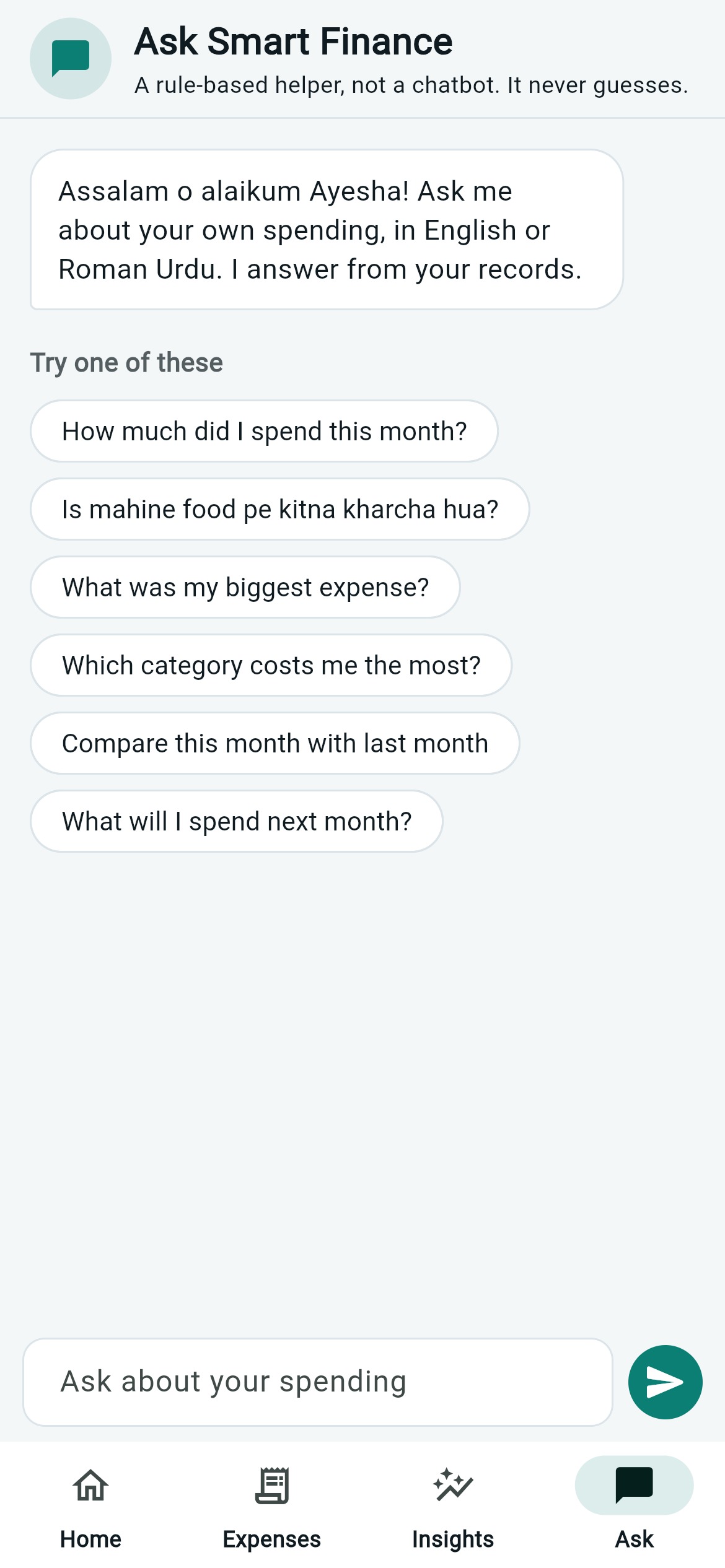
- The assistant is a rule-based helper for English and Roman Urdu. It is not a language model, and says so.
- No email (so no password reset or invitations), one currency (PKR), and no receipts or attachments.
- With fewer than four full months of history, it says so instead of guessing a forecast.
Case study
Smart Finance: expense tracking with forecasts that show their own error
An expense tracker for organisations: a Flutter app for members, a web panel for administrators, and a FastAPI server that forecasts next month's spending and shows how accurate it was.
A GFT Solutions showcase project. The organisations, people and amounts are invented, so the accuracy figures describe that sample data, not real-world performance.
- Type
- Showcase project (built by GFT Solutions, not client work)
- Year
- 2026
- Our role
- Design and full-stack build
- Technology
- Flutter, Python, FastAPI, scikit-learn, SQLite, Tailwind CSS
- Roles
- Member, administrator, platform owner
- Sample data
- 3 organisations, 28 people and about 15,000 expenses over 18 months
- Quality checks
- 140 backend tests, 24 app tests, 42 admin panel browser checks
The idea
Most expense apps tell you what you spent. Few tell you what you are likely to spend, and fewer still say how much to trust that number. A forecast without an error is only a guess dressed up as a fact.
We built Smart Finance to show a different way: every prediction comes with a tested error, every smart feature says what it is, and the people who run an organisation stay in control of what is recorded.
How we approached it
- Three kinds of people, one system. Members record expenses on their phone. Administrators run an organisation from a web panel. A platform owner creates organisations and watches the whole platform.
- Organisations are separate. Another organisation's data must look as if it does not exist.
- Smart, but honest. Each smart feature has a plain description of how it works and a way to check it.
- Records are not quietly rewritten. Once an expense is recorded, changing or removing it needs a request that an administrator approves.
What members do (Flutter app)
- Sign up with an organisation key, then wait for the administrator to approve. The app notices the approval by itself.
- Add expenses. A small model suggests the category from the title while you type.
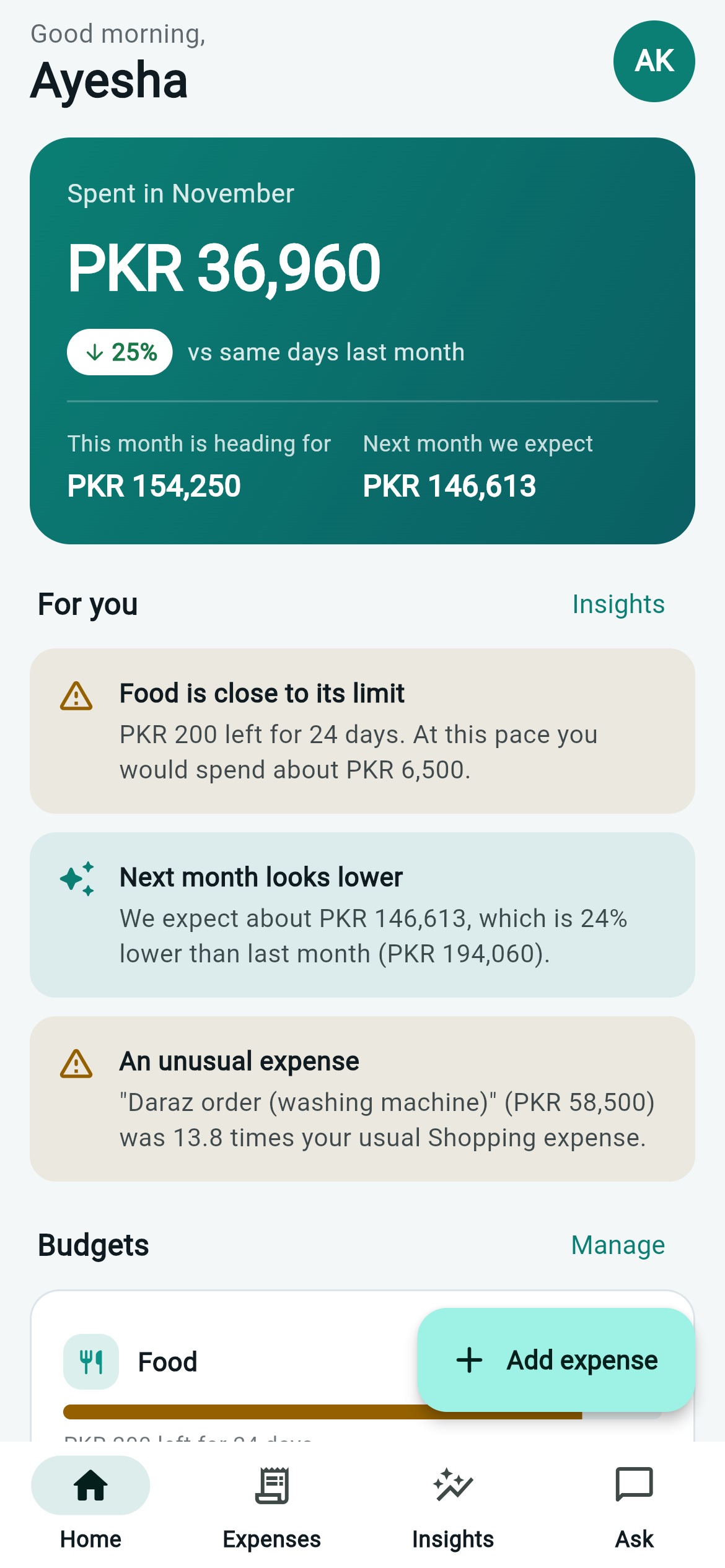
- See a home dashboard: this month against the same days last month, a doughnut by category, and advice cards in plain language.
- Set budgets per category, with warnings before a limit is passed.
- Open Insights: next month's forecast with a likely range and its tested error, a forecast per category, and unusual expenses.
- Ask questions about their own spending, in English or Roman Urdu ("is mahine food pe kitna kharcha hua?").
- Request a correction to a recorded expense instead of editing it.
What administrators do (web panel)
- See a dashboard with the forecast, unusual expenses, top spenders and recent activity.
- Approve, reject, suspend and reactivate people, with a menu that shows what is waiting.
- Search and filter every expense, edit or delete it, and export to CSV.
- Decide change requests with the current and the requested values side by side.
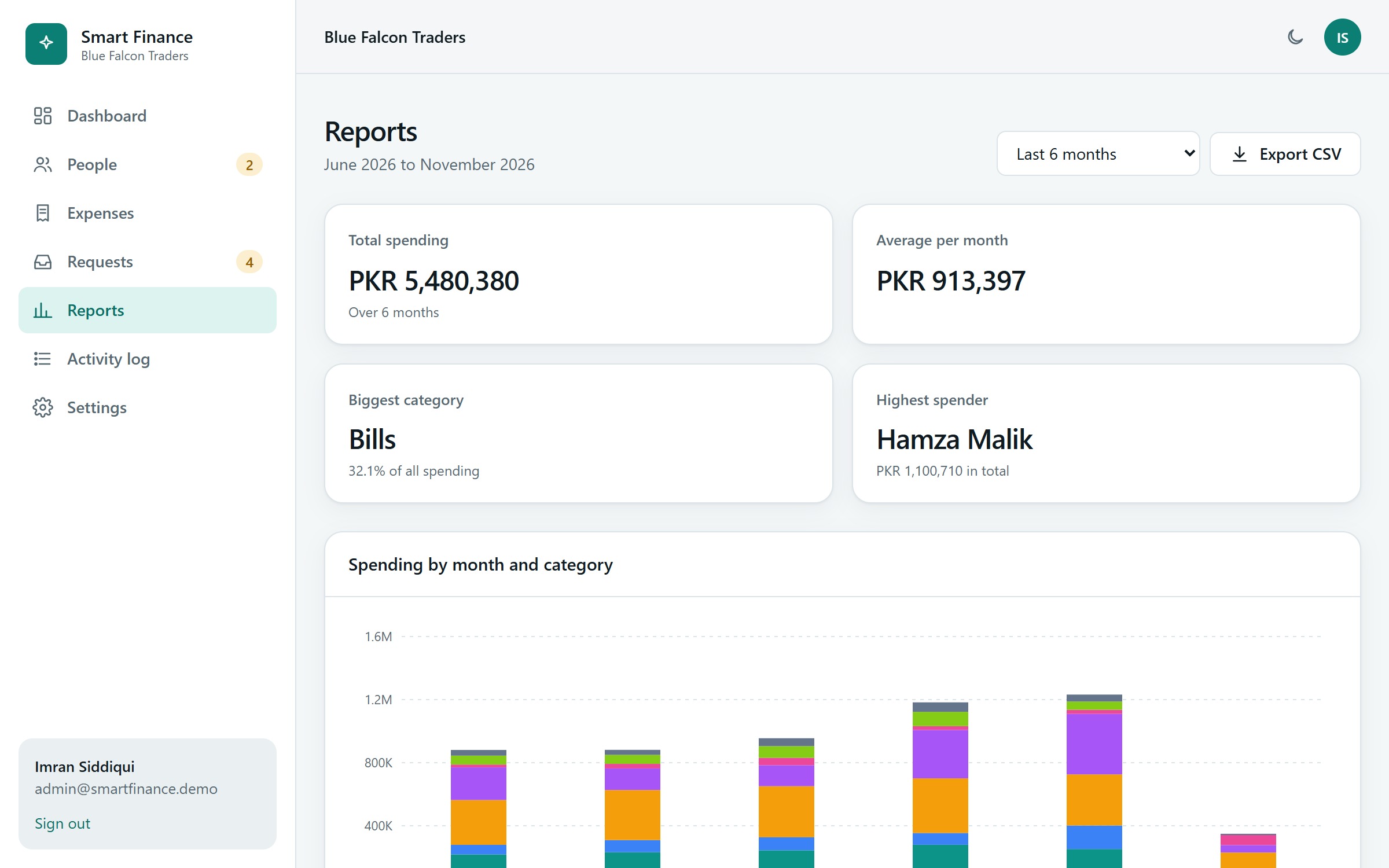
- Read monthly reports and the activity log, and manage the organisation's join key, which is easy to read out (for example GOLDEN-MANGO-47) and can be replaced at any time.
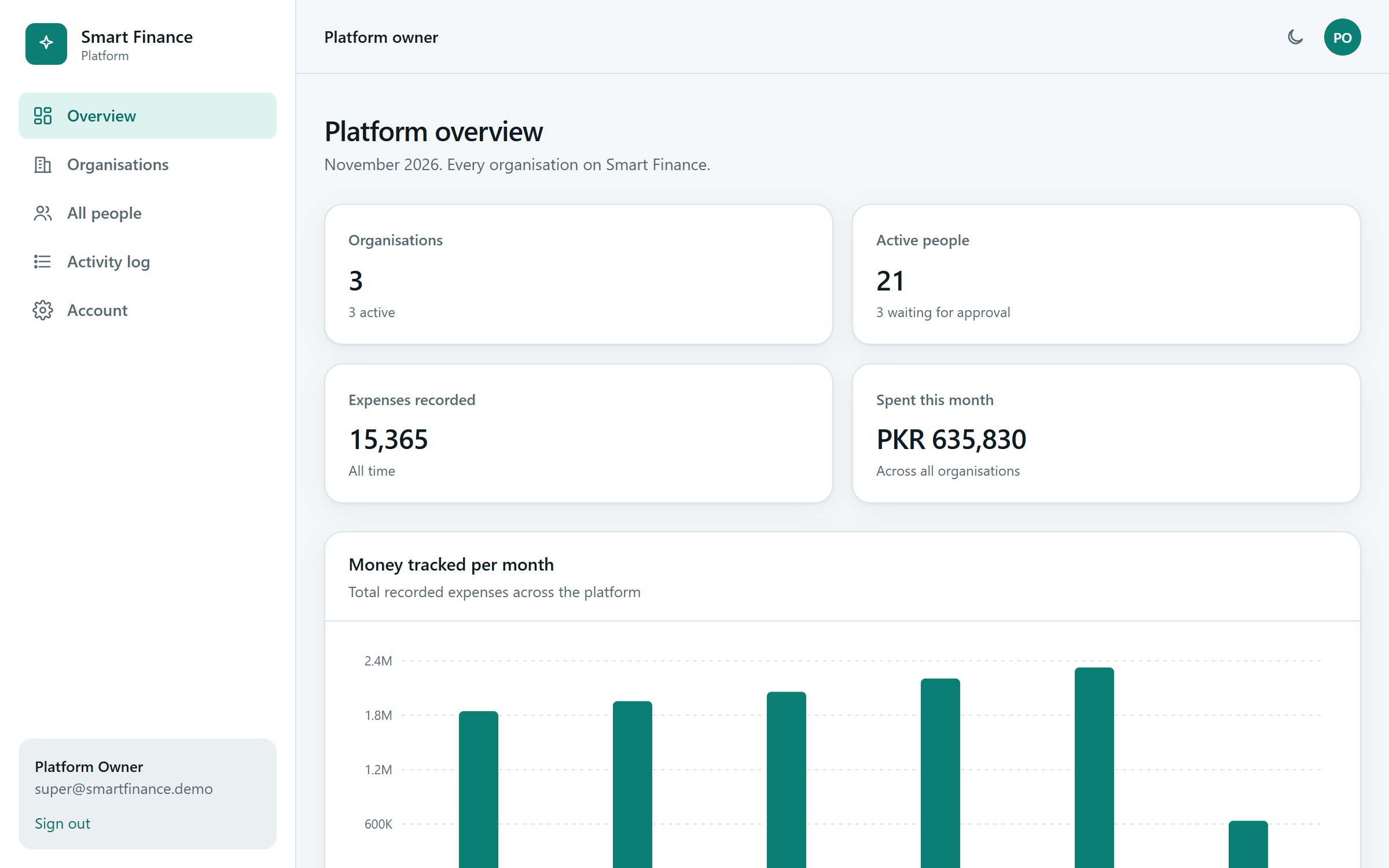
The platform owner creates organisations (each gets its own administrator and a generated join key), can suspend them, and sees the whole platform.
The smart parts, and how honest they are
| Feature | How it works | How it is checked |
|---|---|---|
| Forecast | For each category, four simple methods compete: the average of 3 months, the average of 6, a linear trend, and "the same month last year, adjusted". Each is tested by pretending to be back in time: it predicts a past month using only the months before it. The best one wins, and its error is shown next to the forecast. | Tests check that a rising series picks the trend, a flat one an average, a yearly pattern the seasonal method; that the total equals the sum of the categories; and that a newcomer gets "not enough history" instead of a made-up number. |
| Category suggestion | A text model (character patterns and logistic regression) trained on each organisation's own titles plus a small starter vocabulary. | Accuracy is measured on titles it has never seen (around 80 percent on the sample data) and shown in the app. |
| Unusual expenses | Each person's expenses are compared with that person's own habits for the category. An expense is flagged when it is far above normal and at least twice the usual amount, with a reason in plain words. | Tests cover the flagged, the normal, the old, and "judged by your own habits, not the team's". |
| Assistant | A rule-based parser for English and Roman Urdu that answers from the database. It is not a language model, and says so. It never invents a number. | Tests check answers against the database in both languages, and that questions are not written to the log. |
How it is built
- Server: FastAPI with scikit-learn for the models, and SQLite from the Python standard library. One command starts everything on one port.
- Member app: Flutter for Android and the web, using only a few packages (http, shared_preferences, intl and fl_chart). The API sits behind an interface, so tests use a fake server.
- Admin panel: plain JavaScript modules with Tailwind CSS.
- Security: passwords are hashed with scrypt, sessions are signed tokens, every route checks the role, organisations are isolated from each other, every input is validated with a message per field, and logins are rate limited.
- Safe by construction: the panel builds all its HTML through an escaping helper, so a title such as <img onerror=...> is shown as text. A test proves it. CSV export neutralises cells that start with =, +, - or @, so a spreadsheet cannot run them as formulas.
Lessons from building it
- A bug that only a real server showed. The in-process tests passed, but a database connection shared across threads crashed when requests ran on different threads. A test that talks to the real running server caught it, and we fixed it.
- An anomaly detector must compare a person with themselves. Comparing everyone with the team flagged normal life, and recurring bills such as rent flagged themselves every month. Judging each person against their own history, and ignoring recurring bills, made the flags useful.
- A smart feature earns trust by saying no. With fewer than four full months of history, the forecast says there is not enough data instead of guessing.
How we checked it
- 140 backend tests: sign-up and approval, validation, permissions between roles, organisation isolation, the change-request workflow, forecasting, anomalies, the assistant, CSV safety, and a real-server concurrency test.
- 24 app tests that drive the real screens against a fake server, and a clean static analysis.
- 42 browser checks of the admin panel, including a test that script injected through an expense title does not run.
Honest limits
A showcase, not a finished product. There is no email (so no password reset or invitations), one currency (PKR), and no receipts or attachments. The forecast is only as good as the history behind it. The sign-in token is kept in the browser's local storage, and a production system would use a safer cookie.
What a real client would need next
Email for invitations and password reset, more currencies, receipt attachments, a review of how the forecast performs on the client's own history, and a production security review.
What this shows about how we work
We make smart features checkable, and we say plainly what they are. We test the dangerous cases on purpose, such as injected scripts, spreadsheet formulas and another organisation's data. And we show the limits next to the strengths.
Have a similar project in mind? Talk to the GFT Solutions team about your requirements.