IT Infrastructure
What Is IT Infrastructure? A Complete Guide for Businesses

Updated by Yousuf Naveed Khan
Updated at
15 min read
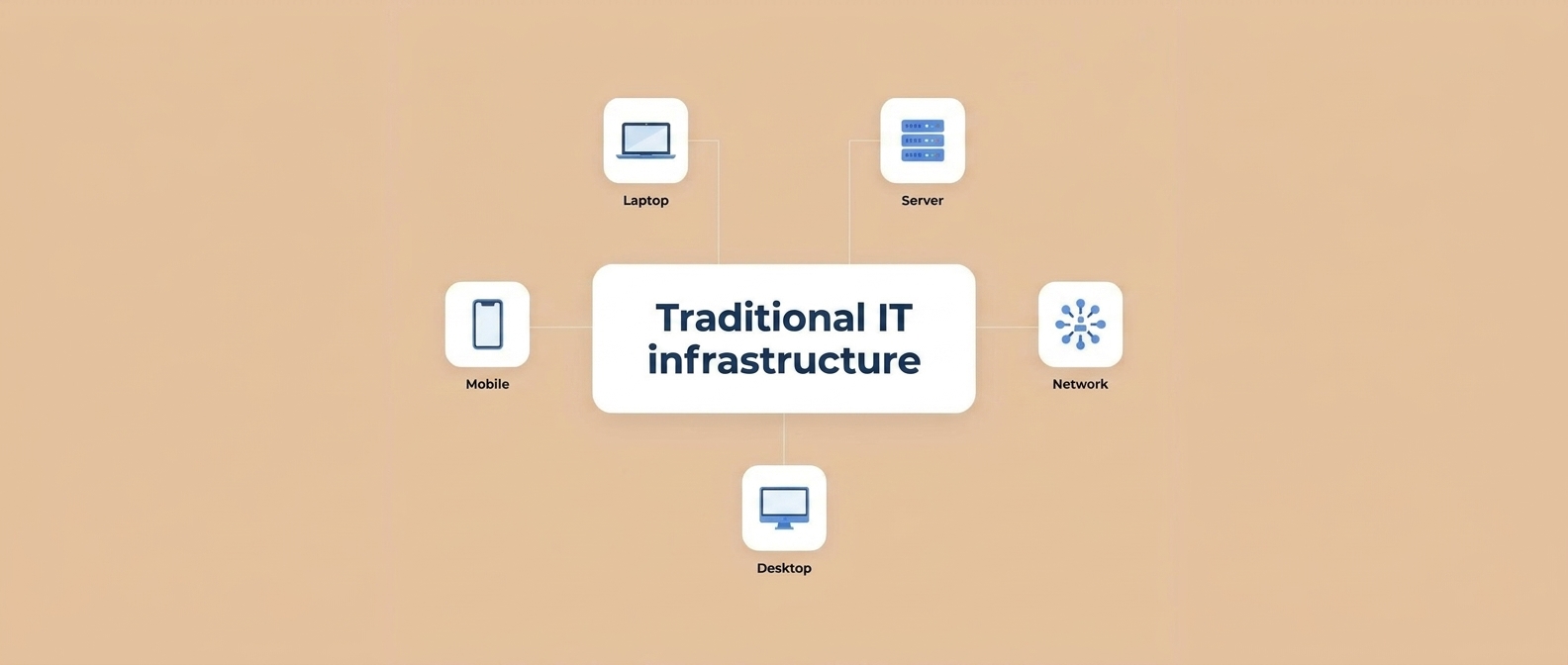
Every modern business depends on technology to run daily operations, from sending emails to processing customer payments. The foundation behind all of it is IT infrastructure: the combination of hardware, software, networks, and services that keeps your business systems running.
In this guide, you will learn what IT infrastructure is, what its key components are, why it matters, which challenges businesses face, and how to improve yours.
What Is IT Infrastructure?
IT infrastructure is the set of technology resources a company uses to build, run, and manage its applications and services. It includes physical equipment such as servers and network devices, along with software, cloud services, and security tools.
Think of it like the roads, power lines, and water pipes of a city. You rarely notice them when they work, but nothing functions without them.
IT infrastructure is usually grouped into two types:
- Traditional (on-premises) infrastructure: hardware and software owned and managed inside your own office or data center.
- Cloud infrastructure: computing, storage, and networking resources delivered over the internet by a cloud provider.
Many businesses use a mix of both, known as a hybrid setup.
Key Components of IT Infrastructure
Servers
Servers store data, host applications, and respond to requests from users and other systems. Examples include file servers, web servers, and database servers.
Networking Equipment
Routers, switches, firewalls, and access points connect your devices to each other and to the internet.
Routers and Switches
A router connects different networks, such as your office network and the internet. A switch connects devices inside one network so they can share data.
Storage Systems
Storage holds your business data, from customer records to backups. It can be local drives, network-attached storage, or cloud storage.
Cloud Infrastructure
Cloud services provide servers, storage, and software on demand, so you pay for what you use instead of buying all hardware upfront.
Security Solutions
Firewalls, antivirus, access controls, encryption, and monitoring tools protect your systems and data from unauthorized access and attacks.
Cloud Infrastructure vs On-Premises Infrastructure: Key Differences
One of the biggest decisions in IT is where your systems should live. Comparing cloud vs on-premises infrastructure helps you choose with confidence.
On-Premises vs Cloud at a Glance
On-premises infrastructure means servers, storage, and networking equipment are owned and operated inside your own office or data center, so your team is responsible for buying, maintaining, and securing everything. Cloud infrastructure delivers computing power, storage, and networking over the internet from a provider. You use what you need and the provider manages the physical hardware.
| Factor | On-Premises | Cloud |
|---|---|---|
| Cost model | Large upfront purchase | Pay for what you use |
| Control | Full control over hardware | Shared with provider |
| Scalability | Needs new hardware | Scale up or down quickly |
| Maintenance | Your team | Mostly the provider |
| Access | Usually local network | From anywhere with internet |
Advantages of On-Premises
- Direct control over data and hardware
- Easier to meet certain strict compliance requirements
- Predictable performance on a local network
Advantages of Cloud
- Flexible scaling as your needs change
- Lower upfront cost
- Easier remote access for distributed teams
- Less hardware to maintain
What About Hybrid Cloud?
A hybrid setup combines both. For example, sensitive data can stay on-premises while customer-facing applications run in the cloud. Many businesses choose this to balance control and flexibility.
How to Choose Between Cloud and On-Premises
Ask yourself:
- What are our security and compliance requirements?
- How quickly do we expect to grow?
- Do we have a team to manage hardware?
- What is our budget model, upfront or monthly?
- Do we have remote or multi-location staff?
There is no single best choice. On-premises offers control, cloud offers flexibility, and hybrid combines both. Match the model to your business needs.
Why Is IT Infrastructure Important for Businesses?
Reliable IT infrastructure supports almost every part of a business:
- Business operations: Staff need working systems to do their jobs without interruptions.
- Connectivity: Teams, offices, and customers stay connected, including remote workers.
- Security: A well-built setup helps protect sensitive business and customer data.
- Scalability: Good infrastructure lets you add users, locations, or services as the business grows.
- Cost control: Planned infrastructure reduces emergency repairs and avoidable downtime.
Common IT Infrastructure Challenges
- Network downtime: Outages stop work and frustrate customers.
- Outdated hardware: Old equipment is slower, less secure, and harder to support.
- Security vulnerabilities: Unpatched systems and weak access controls invite attacks.
- Poor scalability: Systems that cannot grow force expensive rushed upgrades.
- High maintenance costs: Reactive fixes usually cost more than planned maintenance.
Even well-run businesses face technology issues. Knowing the most common IT infrastructure problems helps you prevent them or fix them faster. Here are the causes and solutions for each.
Network Downtime: Causes and Solutions
Causes: failing equipment, misconfiguration, overloaded links, power issues.
Solutions: use redundant connections, monitor the network, replace aging devices, and keep backup power for critical equipment.
Outdated Hardware and Software: Causes and Solutions
Causes: delayed upgrades, tight budgets, lack of planning.
Solutions: keep an asset inventory, set replacement schedules, and retire unsupported systems.
Security Vulnerabilities: Causes and Solutions
Causes: missing updates, weak passwords, poor access control.
Solutions: patch regularly, enforce multi-factor authentication, limit access by role, and train staff on phishing.
Poor Scalability: Causes and Solutions
Causes: systems designed only for current needs.
Solutions: use cloud or virtualized resources and plan capacity ahead.
Data Loss: Causes and Solutions
Causes: hardware failure, accidental deletion, cyber incidents.
Solutions: automate backups, store copies in separate locations, and test restores regularly.
High Maintenance Costs: Causes and Solutions
Causes: reactive repairs and unmanaged equipment.
Solutions: move to planned maintenance, consolidate where possible, and consider managed services.
Lack of Monitoring and Documentation: Causes and Solutions
Causes: no tools or processes to track systems.
Solutions: use monitoring tools, keep diagrams and records current, and set clear incident procedures.
Preventive Checklist
- Inventory all equipment and software
- Schedule updates and patching
- Test backups every quarter
- Monitor performance and alerts
- Review security access regularly
- Plan upgrades yearly
Most infrastructure problems are preventable with planning, monitoring, and regular maintenance. Fix the basics first, then build toward a more resilient setup.
7 Signs Your Business Needs an IT Infrastructure Upgrade
Most businesses do not notice their technology is falling behind until something breaks. An IT infrastructure upgrade is easier and cheaper when planned than when forced by a failure. Here are seven warning signs to watch for.
1. Your Systems Are Slow or Freeze Often
If employees wait on file transfers, applications, or logins every day, the cause is often old hardware, overloaded servers, or a weak network. Lost minutes add up across a whole team.
2. Network Downtime Happens Regularly
Occasional outages are normal. Repeated ones are a signal. Check whether the cause is aging network equipment, poor configuration, or limited capacity.
3. Hardware Is No Longer Supported
When a manufacturer stops providing updates or security patches, the equipment becomes a risk. Unsupported hardware and software are common entry points for attacks.
4. Security Updates Are Hard to Apply
If your systems cannot run current security updates, or updates keep breaking things, your infrastructure is probably outdated. Good infrastructure makes patching routine.
5. Your Business Is Growing but Systems Are Not
More employees, new offices, or remote teams put extra load on your setup. If adding a new user or location is slow or complicated, scalability is a problem.
6. Maintenance Costs Keep Rising
Frequent repairs, emergency support calls, and replacement parts can cost more over time than a planned upgrade. Track how much you spend on fixes each year.
7. Remote Work Is Difficult
If staff struggle with slow access, unreliable connections, or insecure workarounds, your infrastructure may not support modern working styles. Cloud services and secure remote access can help.
What Should You Do Next?
- Audit your current setup: hardware, software, network, and security.
- Prioritize risks: fix security and reliability issues first.
- Set a budget and timeline: upgrade in phases if needed.
- Get expert input: an IT partner can recommend what to replace, keep, or move to the cloud.
Slow systems, downtime, security gaps, and rising costs all point to the same thing: your infrastructure needs attention. Acting early keeps your business stable and ready to grow.
How Can Businesses Improve Their IT Infrastructure?
- Audit what you have. List all hardware, software, and services, and note their age and condition.
- Fix security gaps first. Apply updates regularly, use multi-factor authentication, and keep backups.
- Monitor your systems. Monitoring tools help you spot problems before users do.
- Consider cloud where it fits. Move workloads that benefit from flexibility, and keep the rest where they perform best.
- Plan upgrades. Replace aging equipment on a schedule instead of waiting for failure.
- Work with specialists. An experienced IT partner can design, manage, and support your setup.
How to Build a Scalable IT Infrastructure for a Growing Business
Growth is good news until your systems cannot keep up. Scalable IT infrastructure can handle more users, data, and workload without constant rebuilding.
What Does “Scalable” Mean?
A scalable system can expand (or shrink) to match demand while staying reliable. It avoids both overbuying hardware and running out of capacity.
Step 1: Plan for Where You Are Going
Document your current setup and your expected growth over the next few years: new staff, locations, customers, and applications.
Step 2: Choose Flexible Foundations
- Cloud services let you add resources on demand.
- Virtualization runs multiple systems on shared hardware, improving use of resources.
- Modular network design lets you add devices and sites without redesigning everything.
Step 3: Build a Strong Network
Growth stresses your network first. Plan for enough bandwidth, reliable switches and routers, and secure Wi-Fi coverage for more devices.
Step 4: Build Security In from the Start
Add access controls, multi-factor authentication, regular updates, and backups early. Security is harder and costlier to add later.
Step 5: Monitor and Automate
Monitoring shows usage trends and warns you before limits are reached. Automating routine tasks such as backups and updates reduces errors.
Step 6: Review Regularly
Review capacity, costs, and performance at least yearly, and adjust your plan as the business changes.
Common Scalability Mistakes
- Buying only for today’s needs
- Ignoring network capacity
- Delaying security work
- No documentation or monitoring
Scalable infrastructure comes from planning, flexible technology, strong security, and regular review. Build it before you need it.
How Can GFT Solutions Help?
GFT Solutions is a remote-first software house. Through our System Architecture service, we help businesses with cloud infrastructure, scalable backends, and DevOps & CI/CD, and we review existing systems that have become slow or hard to maintain.
We also build web applications, desktop software, mobile apps, and AI solutions, with UI/UX design to match.
Frequently Asked Questions
What are the main components of IT infrastructure?
The main components are servers, networking equipment, storage systems, cloud services, and security solutions.
What is the difference between cloud and traditional IT infrastructure?
Traditional infrastructure is owned and run on your premises, while cloud infrastructure is rented from a provider and accessed over the internet. Cloud is generally more flexible, while on-premises gives more direct control.
Why do businesses need IT infrastructure management?
Management keeps systems updated, secure, and available, and reduces downtime and unexpected costs.
How often should IT infrastructure be upgraded?
There is no single rule. It depends on the equipment, how critical it is, and vendor support dates. Review your setup at least once a year and replace hardware before it becomes unsupported.
Is cloud cheaper than on-premises?
Not always. Cloud lowers upfront cost, but long-term cost depends on usage. Compare total cost over several years.
Is cloud less secure than on-premises?
Not automatically. Security depends on configuration, access control, and management in both models.
Can I move from on-premises to cloud later?
Yes. Many businesses migrate gradually with a planned strategy.
How do I know if my IT infrastructure is outdated?
Frequent downtime, slow performance, unsupported equipment, and security update problems are the main signs.
Is upgrading IT infrastructure expensive?
Cost depends on scope. Phased upgrades and cloud options can spread the cost.
Can I upgrade without interrupting business?
Yes, with proper planning, scheduling, and testing, most upgrades can be done with minimal disruption.
When should I start planning for scalability?
As early as possible. It is easier to design for growth than to retrofit.
Is cloud always the best choice for scalability?
Cloud is often the easiest option, but a well-planned hybrid or on-premises setup can also scale.
How do I know if my infrastructure can handle growth?
Test performance under higher load and review capacity limits for servers, network, and storage.
What is the most common IT infrastructure problem?
Downtime and outdated systems are among the most frequent, along with security gaps.
How can I reduce IT problems?
Preventive maintenance, monitoring, regular updates, and clear documentation make the biggest difference.
Should I outsource IT infrastructure management?
It depends on your team size and skills. Many businesses use managed services to gain expertise and reduce workload.
Conclusion
IT infrastructure is the foundation that keeps your business connected, secure, and ready to grow. Understanding its components and challenges helps you make better decisions about upgrades and support.